
Every Arena match, logged on its own.
ManaLab reads Arena's log while you play and keeps your opening hands, mulligans, play or draw, sideboard changes and the opponent's deck. Then it shows you where you win and where you lose.
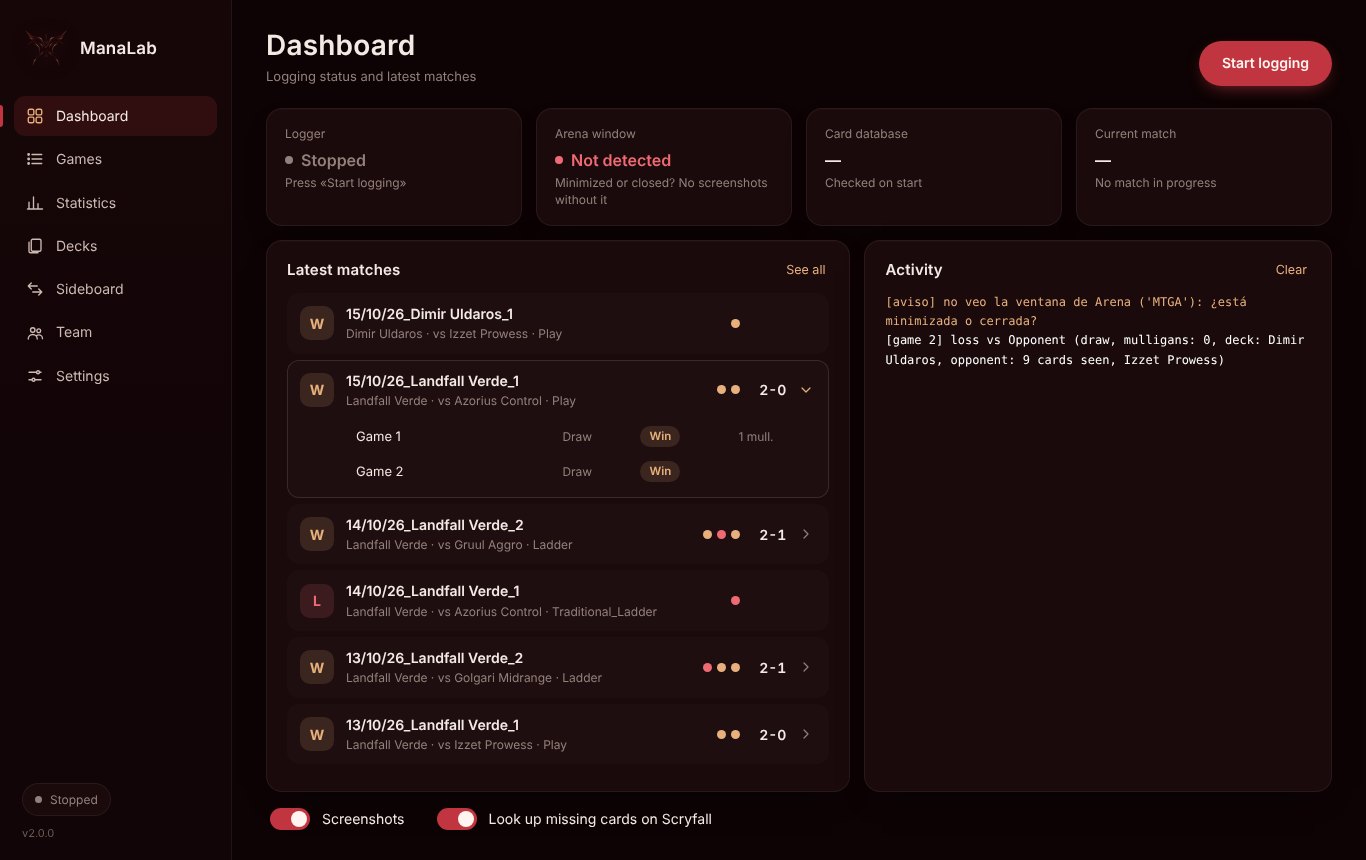
From Arena's log to your history
With «Detailed Logs» on, Arena writes every game to Player.log. ManaLab reads it as you play and turns it into matches you can review.
[UnityCrossThreadLogger] GreToClientEvent
{ "type": "GREMessageType_MulliganReq",
  "systemSeatIds": [1] }
[UnityCrossThreadLogger] GreToClientEvent
{ "gameInfo": {
    "matchState": "MatchState_GameComplete",
    "gameNumber": 3,
    "results": [{ "result": "ResultType_WinLoss",
"winningTeamId": 1 }] } }Everything you'd note down after each match, done for you
Matches and games
Each Bo3 is one row with its score (2-1, 1-2…) that opens to show every game: play or draw, result and mulligans.
Hands and screenshots
Your opening hand, the hand you kept and a screenshot of each key moment, to review the game afterwards.
Opponent's deck
It compares the opponent's cards with the most played Standard decks and names the closest one. The meta list updates every 3 days.
Statistics
Match and game win rates, streaks, last days, and breakdowns by mulligans, play/draw, deck and opponent archetype.
Your decks
Each list you play with its win rate. Sideboard variants are grouped under the same deck, and you can rename them.
Loss review
For each loss it builds a prompt with the summary and timeline of the game. Paste it into the AI you prefer: nothing is sent from the program.
Overlay while you play
A separate window next to Arena with your deck's remaining cards, the opponent's cards seen so far and the turn. It only shows what the game already makes public.
Sideboard guide
Per matchup, what you brought in and took out in your own games and how it went, so you stop sideboarding from memory.
Coach and team
Error tags and notes on each game, matchup tables and a report for your coach. Team mode shares data through a common folder.
Built to review, not to fill in
Screenshots with sample data.
Three steps, once
Download and install
Windows 10 or 11. The installer adds a shortcut and an uninstaller.
Turn on Arena's log
In Arena: Options › Account › Detailed Logs. Without it, Arena doesn't write the games.
Press «Start logging»
Open ManaLab before playing and leave it running. Each match appears on the Dashboard when it ends.
Before you install
Does it touch the game or give me an advantage in a match?
No. It only reads the log file that Arena itself writes on your PC. It doesn't modify Arena, doesn't read its memory and doesn't connect to its servers. The optional overlay is a separate window that shows only information the game itself makes public (your cards played and the opponent's cards revealed), never hidden information.
What data does it send?
None. Your games, screenshots and statistics stay in a folder on your PC. The program only downloads: the updated meta deck list (every 3 days) and, if a card is missing from Arena's database, its name from Scryfall. You can turn both off in Settings.
Windows says «Windows protected your PC». Is it safe?
That warning appears for programs without a paid code-signing certificate, which is common for small free tools. Click «More info» and then «Run anyway». Every version is checked on VirusTotal before it's published.
Does it work on Mac or for Limited?
For now it's for Windows. It logs any Arena game, including Limited, although the opponent's deck detection uses the Standard meta.
Is it free?
Yes, completely, with no ads or accounts. If it's useful to you, you can support it with a donation, but every feature is available either way.
Free, and kept going with donations
ManaLab is made in spare time. Donations pay for what it costs to keep it running and to publish safer versions.